

About | Privacy Policy | Terms of Use | Support | Contact Us
Copyright © 2026 Tipard Studio. All Rights Reserved.

Windows

Rip your favorite Blu-ray/DVD movies or videos to popular formats

Powerful software to play Blu-ray/DVD videos and audio

Create Blu-ray disc/folder/ISO file with your own video

Backup/Copy your favorite Blu-ray to disc/folder/iso files
Mac

Rip your favorite Blu-ray/DVD movies or videos to popular formats on Mac

Powerful software to play Blu-ray and popular video formats on Mac
Windows

Rip DVD to any popular video format quickly of full quality

Create DVD from videos and burn video to DVD/Blu-ray freely

Copy DVD to DVD disc/folder/ISO files in a 1:1 ratio
Mac

Rip DVD to any popular video format quickly of full quality on Mac

Burn or author a DVD from videos with subtitles and chapters on Mac

Copy DVD to DVD disc/folder/ISO files in a 1:1 ratio on Mac
Windows

Rip DVD, convert 4K video, edit, and upscale videos to 5K/8K

Repair broken videos with high accuracy and support many formats

Convert any video to MP3, MP4, MOV, WAV, and other 350 formats

Upscale resolution, optimize brightness and remove video noise

The easiest tool to capture screen, game, audio, etc. with high quality

Convert any 2D video to 3D video and convert 3D to 2D video

Convert 4K video to 4K/1080P and common videos

Convert TS video to various popular video/audio formats
Mac

Rip DVD, convert 4K video, edit, and upscale videos to 5K/8K on Mac

Repair broken videos with high accuracy and support many formats on Mac

Convert any video to MP3, MP4, MOV, WAV, and other 350 formats on Mac

Upscale resolution, optimize brightness and remove video noise on Mac

The easiest tool to capture screen, game, audio, etc. with high quality on Mac

Convert any 2D video to 3D video and convert 3D to 2D video on Mac

Convert 4K video to 4K/1080P and common videos on Mac

Convert TS video to various popular video/audio formats on Mac
Desktop

Rip and convert DVDs to MP3 and support other audio formats

Reset Windows Admin and Standard user account password in seconds

Accurately Convert any PDF file to Word with OCR

Convert PDF to Word, Excel, HTML and Image with OCR
Online

Easily remove watermarks from many image file formats free online
Tipard MOV Converter for Mac is multifunctional Mac MOV Conversion software which is geared to the needs of converting MOV videos to more applicable video formats, such as MP4, WMV, M4V, AVI, FLV, 3GP, MPG, SWF, MKV, VOB, etc. With this powerful Mac MOV Converter app, you are allowed to enjoy any videos on iPhone, iPod, iPad, Samsung, HTC, LG, and other Android phones or multimedia devices more conveniently. Download MOV converter for Mac now to change video format to MP4 and MP3 on Mac and experience better digital life.

Tipard MOV Converter for Mac is almighty Mac MOV converter which contains plenty of abilities, not only converting MOV videos to any video formats like MP4, but it also allows you to adjust effect and select audio tracks and subtitles before converting.
The Apple QuickTime MOV videos are commonly used by Mac. They are usually large and mostly as uncompressed files which will take up too much space on your PC. If you want to compress the MOV file or reduce storage space on your computer, or need to upload MOV videos to popular online websites. Now what you need to do is converting MOV to MP4, WMV, AVI and MP3 on Mac or other compatible file format for free enjoyment on multiple platforms.
This Mac MOV Converter app is very suitable for you. It is designed to convert QuickTime video and MOV include HD MOV video to any formats, such as MP4, AVI, MPEG, AVCHD (M2TS, MTS), 3GP, M4V, FLV, WMV, MKV, DVD video format like VOB, etc. It is also capable of converting QuickTime and MOV videos to HD videos, including HD TS, HD MP4, HD FLV, HD AVI, and HD WMV and so on. Besides, you can choose to convert MOV videos to audios and save them in formats, including MP3, AAC, AC3, AU, OGG, MKA, M4V, WMA, etc compatible with MP3 players or other devices.

Apart from the basic converting ability, this MOV Conversion for Mac was designed with many other functions. You are allowed to adjust the brightness, saturation and contrast degree of the output effect. While the trim function makes it possible for you export your favorite part by setting the start time and end time or just dragging the progress bar. And under the crop function, you are authorized to cut off the undesired areas. By doing this, you can enlarge your visual field. You could also personalize the video by adding your own watermarks whose size and transparency can be adjusted. Under merge function, your favorite scenes could be put together as a long movie for you to play over.

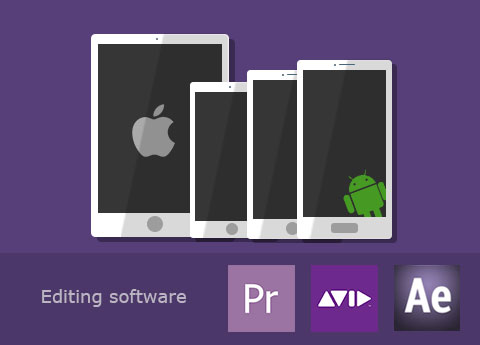
As the best MOV Converting software for Mac, it helps you convert MOV videos to any portable devices and imported well to editing software. And you can watch these converted MOV videos on iOS devices of iPhone, iPad Pro, iPad mini/Air/4, iPod Touch/Nano/Shuffle, Android devices of Samsung, HTC, LG and other devices like Windows Phone 7, ASUS, etc. Moreover, this MOV conversion software can convert videos to editing software, such as Final Cut Pro, iMovie, Avid Media Composer and more.
This Mac MOV Converter provides you professional MOV converting function, enabling a non-professional user to convert MOV videos at ultra-fast speed. Also, the editing functions are powerful and professional. The interface of the whole program is simple and attractive at first sight. Since Tipard studio is devoting to make professional software for non-professions, you have no need to worry about the operation. It's simple enough for every new user. Super-high converting speed, optional editing functions, simple operation and user-friendly interface, all these humanized design factors will give you the most wonderful user experience.


Snapshot fleeting picture
With the help of Snapshot function, you can grab your favorite moment and save it as image file.

Optional audio tracks and subtitles
Choose audio track and subtitle as long as the original video has optional audio tracks/subtitles.

Batch converting
This MOV Converter converts many MOV video files to same or different video format at the same time.

6x faster speed than other conversion
With 6x faster speed of conversion, it just need to several minutes to get the aim videos on Mac.

Robert:Powerful beyond words! I need a program that can export .mp4 files to upload it to online website site, this MOV Converter helps me a lot, I translate MOV file to MP4 video with ease.

Daniel:This Mac MOV converter software really helps me a lot! MOV format is not usual format. But this converter makes it easy to watch MOV videos on iPhone.

Kim:I download and use this converter for a long time. Really powerful I have to say! It is greater than any converting software I have used before!


