

Key Takeaways:
Ripping DVD to Plex media server can let you watch the DVD movie on any device that has Plex. To rip a copy-protected DVD, you can use Tipard DVD Ripper. This program can also upscale your DVD to 1080p/2K/4K MP4, MKV, MOV, and many other modern formats. This best software to rip DVD for Plex can also support full hardware acceleration to transcode large DVDs quickly with very low CPU usage.
Plex has revolutionized the way we manage our personal media collections, offering a seamless streaming experience across all our devices. However, many physical media collectors face a common hurdle: Plex does not natively support the playback of DVD discs or ISO files. To bridge the gap between your physical shelf and your digital library, digitizing your collection is essential. This guide will show you how to rip DVD to plex. We'll explore what makes Plex a top-tier media server and review the most effective DVD ripping tools, including Tipard DVD Ripper, HandBrake, and MakeMKV, to help you seamlessly integrate your favorite movies into your Plex ecosystem.
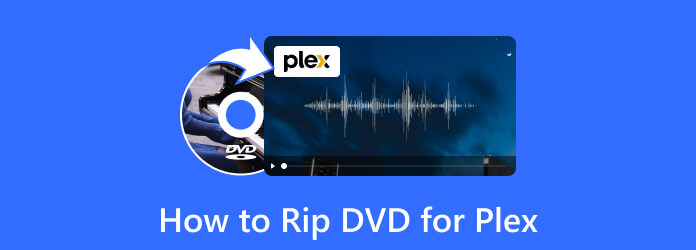
Part 1. What is Plex
What is Plex? And can Plex play DVDs? In 2008, a free media server called Plex debuted. Over the years, this media server has been devoted to its online users for streaming video, audio, and photo files to its supported players. One of the perks for its official customers is being able to run Plex on its streaming boxes, phone devices, smart TVs, and web apps.
Furthermore, it is popularly known to have a freemium service that enables users to open and view their videos and other media files on all of its supported devices without needing a penny. Despite being free, there is also a Plex premium subscription that you can have, where the remarkable features of this server are found. Such features that are available in the premium version are mobile syncing and live TV. Moreover, this media player server is accessible on Mac, Windows, Linux, and all NAS devices or the network-attached storage.
Plex can play many digital videos and movies in digital formats but cannot play DVDs. This is also the main reason why we need the best DVD ripper for Plex. That said, let us now move on to the next part to learn some of the best DVD to Plex rippers.
Part 2. Best Ways to Rip DVDs to Plex
1. Tipard DVD Ripper
Given the above, playing your favorite DVD movie with Plex is impossible unless you rip it to produce a supported video format. That's where you need software like Tipard DVD Ripper.
It is great DVD ripping software that will allow you to extract contents from DVD optical discs to digital formats and produce outputs from extracting ISO and folders.
Furthermore, this best software to rip DVDs for Plex gives you advanced features for various customization functions, where you can rip up to 30 times faster speed made by the acceleration technology.
Aside from that, you can also enjoy making 3Ds and GIFs from your files and then compressing and enhancing them excellently with the help of its Artificial Intelligence technology.
What’s more? it can produce more than 500 choices, such as the FLV, MP4, MTS, ASF, AVI, MOV, and many more.

- Acceleration technology that rips 30x faster than others.
- Infused with video editing tools such as a video enhancer, compressor, GIF maker, 3D maker, and media metadata editor.
- Support 500 best formats to rip DVDs for Plex.
- Support for 2K, 4K, and 8K video quality.

Step 1 First, download and install Tipard DVD Ripper on your computer from the official website or by pressing the button above.
Step 2 Place your DVD into the computer's DVD drive. Click the Load DVD drop-down menu and import your DVD content. It will take a few seconds to finish the loading process.

Step 3 Click the Output Format menu in the bottom left corner to open the output format section. To play DVDs on your computer hard drive, you need to select a format that is compatible with your media player.

Step 4 Change the output folder at the left corner to the directory folder of your hard drive. After that, click the Rip All button to start copying the DVD to the hard drive.

- You can acquire it on both Mac and Windows.
- You can rip your DVDs to more than 500 various formats.
- Support full hardware acceleraion (NVIDIA, Intel, AMD, and Apple Silicon) to rip DVDs at 60× fater speed.
- It is also a video editor.
- Support batch conversion and upscaling.
2. HandBrake
Next is HandBrake, a well-known open-source program. It is a free ripping tool that you can use to rip, convert, and somehow edit your outputs on all popular OS like Linux, Mac, and Windows. Thus, aside from using this HandBrake to rip DVDs for Plex, you can also use it to customize your video’s resolution, framerate, aspect ratio, and bitrate as you wish. Just like the previous ripping tool, HandBrake also processes media files in batches. When it comes to the formats that it supports, HandBrake produces MP4, MKV, AVI, WebM, M4V, OGM, and more. Meanwhile, here are the steps to follow in ripping your DVD.
Step 1Open HandBrake using your computer, and upload your DVD file by clicking the Open Source button. Then, drag and drop the file at the center.

Step 2After that, go to the Format section and choose your desired output format. You can also navigate the Save As section and set your file destination.

Step 3Then, click the Start Encode button to begin the ripping process. After that, you can copy the DVD to USB and play it on Plex.
- You can use it for free.
- It comes with customization options.
- It allows you to control the video quality.
- It is not that easy to operate.
- The conversion process is a bit slow.
3. MakeMKV
And finally, the last best way to rip DVDs for Plex is the way of MakeMKV. This is another free DVD ripper that allows you to rip both DVD and Blu-ray to the Plex server quickly. You can have it on your computer with a Windows, Linux, or Mac OS. Furthermore, you can also guarantee batch processing, fast conversion, and also the other editing features that it offers you for the expanded functions.
Step 1Open this software on your computer, and analyze the disc you need to rip.
Step 2Then, set the output destination.
Step 3After that, hit the Make MKV button to begin the ripping process.

- Quick ripping speed for a 2-hour DVD movie.
- It can work as a decryption engine for other software.
- High-quality outputs.
- MKV is the only available output format.
- Uncompressed output MKV videos come in large file sizes.
Part 3. How to Add a DVD to Plex
Step 1Download and run the Plex Media Server on your computer.
Step 2Click Settings to get more settings options.
Step 3Select the Manage option and choose Libraries.
Step 4Click Add Library, select the library type and name the library.
Step 5Put your video files in a folder and then go back to Plex.
Step 6Select the Add folder. Click the BROWSE FOR MEDIA FOLDER button and select the movie folder with the movie files you want to add. Click the ADD button and finish the steps Plex shows. If you encounter a Plex playback error, you should check your internet or other settings.

You can also import the DVD to iTunes for convenient watching.
Part 4. FAQs of Ripping DVD for Plex
Is ripping DVDs to Plex legal?
The legality of ripping DVDs for Plex exists in a gray area that pits personal use against copyright law. In the United States, the DMCA prohibits bypassing encryption (the "lock" on the disc), effectively making ripping illegal even if you own the physical DVD. While "fair use" might theoretically protect personal backups, the technical act of breaking digital protections remains a violation of federal law. In practice, while personal use is rarely prosecuted, the process is technically illicit in many jurisdictions; however, some countries offer more lenient "private copy" exceptions provided the content isn't shared.
What is the best program to rip DVDs for Plex?
The best program to rip DVDs for Plex is Tipard DVD Ripper. It offers the flexibility of both lossless ripping and high-quality upscaling during transcoding. For users prioritizing original quality, Tipard can export DVDs to lossless MKV or MPG formats. For broader compatibility, you can convert your discs into Plex-optimized formats using modern H.264 codecs. Additionally, the software features full hardware acceleration and batch processing, allowing you to quickly convert your entire library with minimal CPU impact.
Why are people leaving Plex for Jellyfin?
The shift from Plex to Jellyfin has accelerated recently, driven primarily by users who feel Plex is drifting away from its "personal media" roots toward a commercialized streaming platform.
Conclusion
In summary, while Plex serves as an incredible hub for your digital life, the transition from physical discs to a streaming library requires the right bridge. Whether you prioritize the open-source flexibility of HandBrake, the raw simplicity of MakeMKV, or the all-in-one efficiency of Tipard DVD Ripper, the goal remains the same: ripping DVD for Plex with a clutter-free, high-quality viewing experience. For users who want the fastest speeds combined with AI-driven enhancement tools, Tipard DVD Ripper stands out as the most comprehensive solution. Follow the steps outlined above to digitize your collection today and finally give your favorite DVDs the modern home they deserve on Plex.
More Reading

About the Author

 Click here to join the discussion and share your comments